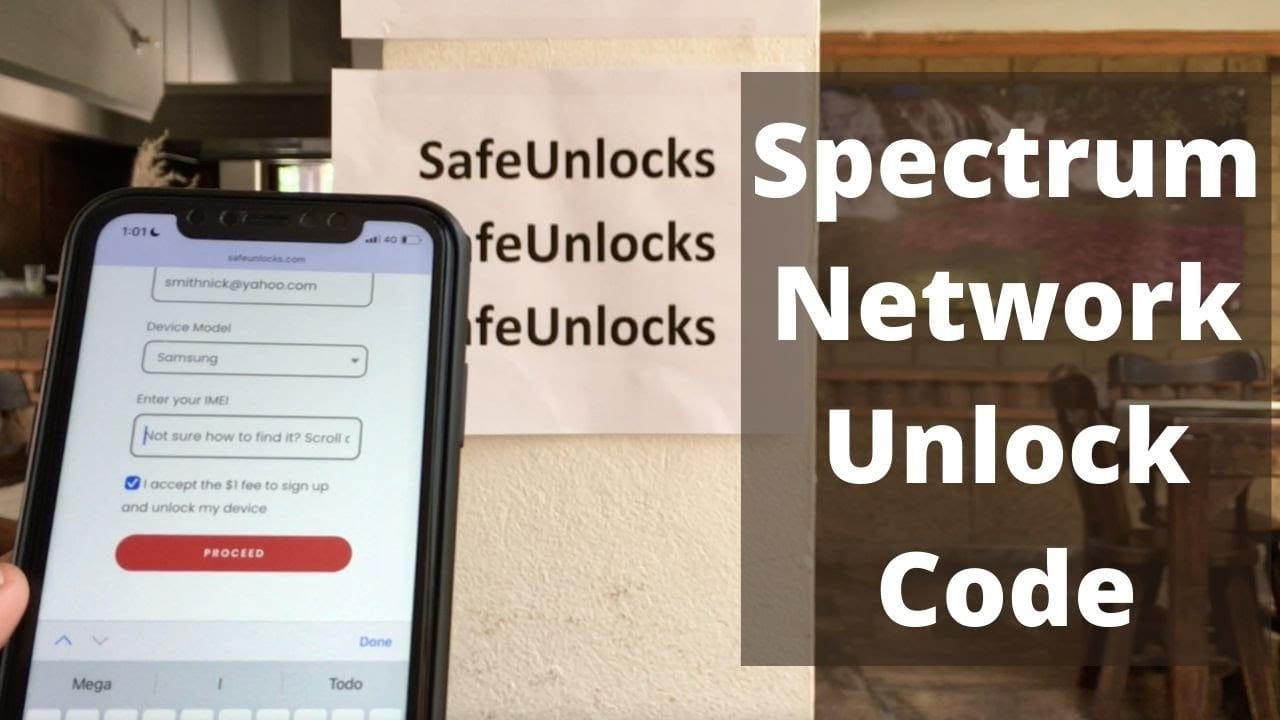
What is Spectrum Network Unlock Code?
Are you looking to unlock your Spectrum network? Unlock codes are unique passcodes that allow you to use your device with a different carrier. To obtain a Spectrum Network Unlock Code, follow these steps:- Contact the Spectrum customer support team.
- Provide them with the necessary information, such as your device details and account information.
- They will guide you through the verification process.
- Once verified, they will provide you with the unlock code.
- Follow the instructions provided to enter the unlock code and enjoy your unlocked device.
What is the Purpose and Benefits of Spectrum Network Unlock Code
When you purchase a device from a network provider, they often lock it to their network to ensure exclusivity and extended contracts with customers. While this may be advantageous for the provider, it limits the user's freedom and flexibility. Unlocking your Spectrum network-locked device with the Spectrum Network Unlock Code offers various benefits. Firstly, it allows you to switch to a different network provider of your choice. This means you can take advantage of better network coverage, more affordable plans, or specific features offered by other networks. Unlocking your device also gives you the ability to use a local SIM card when traveling overseas. Instead of incurring high roaming charges, you can simply insert a local SIM card and enjoy the benefits of a local network. Moreover, unlocking your device may increase its resale value. Unlocked devices are generally more desirable to buyers since they offer greater flexibility and compatibility. By unlocking your Spectrum network-locked device, you open up opportunities for selling it at a higher price or trading it in for a newer model.Process of Unlocking a Spectrum Network-Locked Device
Unlocking a Spectrum network-locked device requires following a specific process, which can vary depending on the device model and network provider policies. However, the general steps involved in unlocking a Spectrum network-locked device are as follows: 1. Contact Spectrum: Initiate the unlocking request by reaching out to Spectrum's customer support. They will guide you through the process and provide the necessary information and requirements. 2. Provide Device Details: You will need to provide Spectrum with the device's unique identification details, such as the IMEI or MEID number. These details help Spectrum verify the device and determine its eligibility for unlocking. 3. Check Eligibility: Spectrum will assess whether your device meets the criteria for unlocking, such as contract obligations being fulfilled, payment of outstanding balances, and no fraudulent activity associated with the device. 4. Receive Unlock Code: Once your device is deemed eligible, Spectrum will provide you with an unlock code. This code is unique to your device and should be kept secure. 5. Enter the Unlock Code: Insert a SIM card from a different network provider into your device. A message prompting for the unlock code will appear. Enter the provided code carefully, as incorrect entries may result in permanent lockout. 6. Success Notification: If you entered the unlock code correctly, your device will display a success notification. This indicates that your Spectrum network-locked device is now unlocked and ready to be used with other network providers. It's important to note that the process for unlocking a Spectrum network-locked device may have variations or additional steps depending on the device and network provider policies. It's always recommended to follow the specific instructions provided by Spectrum or seek assistance from their customer support for a smooth unlocking experience.Spectrum Network Unlock Code vs. Factory Unlocking
When it comes to unlocking a network-locked device, there are generally two options to consider: using a Spectrum Network Unlock Code or factory unlocking. Although both approaches aim to achieve the same result, there are some significant differences between them. The Spectrum Network Unlock Code is specifically designed for devices locked to the Spectrum network. It involves obtaining a unique code from Spectrum to unlock your device. This method is typically straightforward, especially when dealing with devices still under contract or payment obligations with Spectrum. The code is entered manually, granting you access to use other network providers. On the other hand, factory unlocking is a broader approach that applies to devices locked to any network. This method involves reaching out to the device manufacturer or a third-party unlocking service to request an unlock code. Factory unlocking may require more extensive documentation, proof of device ownership, and sometimes even a fee. However, it offers the advantage of unlocking a wider range of devices, including those locked to networks other than Spectrum. It's essential to consider your specific device, network, and any existing obligations or contracts when deciding between a Spectrum Network Unlock Code or factory unlocking. Choosing the appropriate method ensures a successful unlocking process for your device, granting you the freedom to switch networks and enjoy the benefits of an unlocked device.Tips for Unlocking a Spectrum Network-Locked Device
Unlocking a Spectrum network-locked device can be a straightforward process if you follow some essential tips and guidelines. Consider the following tips to ensure a successful unlocking experience: 1. Check Eligibility Requirements: Before initiating the unlocking process, ensure that you meet the eligibility requirements set by Spectrum. This may include having fulfilled contractual obligations, clearing outstanding balances, and ensuring the device is not associated with any fraudulent activity. 2. Backup Your Data: It's always best to back up your data before unlocking your device, as the process may involve resetting or modifying settings. This ensures that your important information, contacts, and media are safely stored and can be restored later. 3. Follow Instructions Carefully: Whether you receive instructions directly from Spectrum or through their customer support, make sure to follow them precisely. This ensures that you enter the unlock code accurately and avoid any errors that could result in complications or lockouts. 4. Retrieve the Unlock Code: After your device becomes eligible for unlocking, ensure that you securely retain the provided unlock code. Consider noting it down or storing it in a safe place so that you can easily access it during the unlocking process. 5. Test with Different SIM Cards: Once your device is successfully unlocked, make sure to test it with SIM cards from different network providers. This allows you to verify that the unlocking process was effective and that your device is now compatible with other networks. By following these tips, you can navigate the process of unlocking your Spectrum network-locked device smoothly and enjoy the benefits of a more versatile and flexible device.Unlocking Your Device
Unlocking your Spectrum network-locked device with the Spectrum Network Unlock Code can be a game-changer in terms of flexibility and usability. It empowers you to explore other network providers, access better plans, and make the most of your device's capabilities. However, it's crucial to understand the process, eligibility requirements, and follow the provided instructions carefully to ensure a seamless transition. If you're considering unlocking your Spectrum network-locked device, take the time to determine your eligibility, back up your data, and gather all necessary details. By doing so, you can confidently reach out to Spectrum, obtain the unlock code, and enjoy the freedom to choose the network provider that best suits your needs and preferences. Unlocking your device opens up a whole new world of possibilities, enhancing your mobile experience and keeping you connected wherever you go.Frequently Asked Questions
Unlocking your Spectrum Network might seem complicated, but we're here to help! Read on for answers to commonly asked questions about Spectrum Network Unlock Codes.